EssentialSail Sim1.59
NMEA & Networking Simulator for the EssentialSail App v1.59
A desktop tool that stands in for real boat instruments and for an unreliable NMEA-to-Wi-Fi bridge — so you can test, demonstrate and rehearse the EssentialSail app without being on a boat.
What it does
Two independent server modes, selected at the top of the window. Only one runs at a time.
Universal Simulator
Simulates a whole boat over NMEA 0183 (TCP or UDP): boat & wind, depth, AIS traffic and the scenarios below. It starts silent: Start Server only opens the port, and you start each part yourself.
Networking diagnostic test
Cycles a TCP connection through NORMAL → STALL → DROP phases (with manual override buttons) to exercise the app's Diagnostics page against real connection failures.
Scenarios you can run
Each part is started by you; one scenario runs at a time — starting a new one stops the previous. A box at the top of the window lists what is being sent, with STOP ALL DATA to make the server silent again.
Boat & wind
Set boat speed, heading, wind speed and wind direction, then Start: the app receives GPS position (moving with the boat), heading, SOG/STW and apparent + true wind. Options: polar speed (the boat speed comes from the wind), leeway and heel, extra sentences.
Wind simulation
Real wind around the values you set: oscillating shifts (±8°, every 4–8 min), slow persistent shifts of up to 25° (never a jump), gusts of +20–40 % that veer, and lulls every 25–70 seconds. Stop returns to the set wind.
Tacks & gybes
An autopilot sails at the best VMG angle (43° upwind, 145° downwind) with polar speed and tacks or gybes every N seconds: the boat slows in the tack and builds speed again, and the apparent wind and heel change side.
Current & tidal stream
Set and drift are added to the boat's motion, so SOG/COG differ from STW/heading. Tidal option: the stream slackens, reverses and builds again over the period you choose.
Depth & shallow water
Send a steady depth, or follow a seabed profile that gets shallower toward the shore with sand waves. The Shallow Water scenario ramps the depth from 40 m to 1 m over 60 seconds to test the depth alarms.
AIS traffic
Four vessels as at sea — 3 nm, 2 nm, 0.5 nm and 3 nm away — on straight courses at about 15 kn that pass clear: no collision alarm must sound. Placed around your boat again every 5 minutes.
Collision course
One vessel 0.6 nm on your starboard bow on a real collision course (CPA 0, about 26 kn, computed from your course and speed). Repeats every 60 seconds: the collision alarm must sound.
Anchor drag
At a fixed anchorage (La Grande Motte) the boat lies to 20 m of rode, bow to the wind, swinging ±20° for 60 s; then the anchor drags downwind about 24 m in 120 s, and it repeats. In the app set a swing radius of at least 30 m.
Man overboard rehearsal
Marks the position, keeps the boat on its heading for 5 seconds of crew reaction time, then turns to starboard at 4 kt and heads back to the marked point.
Faults & glitches
Live GPS dropouts, checksum errors, truncated sentences and noise, and bursts of delayed data — like a congested Wi-Fi gateway — to see how the app copes.
Replay a real NMEA log
Send a log recorded on board with its own timing, at 0.5×–10× speed, in a loop.
RTSP camera (VLC)
Optional: stream any video file as a fake RTSP camera to test the app's Camera page. Requires VLC media player.
The window, top to bottom
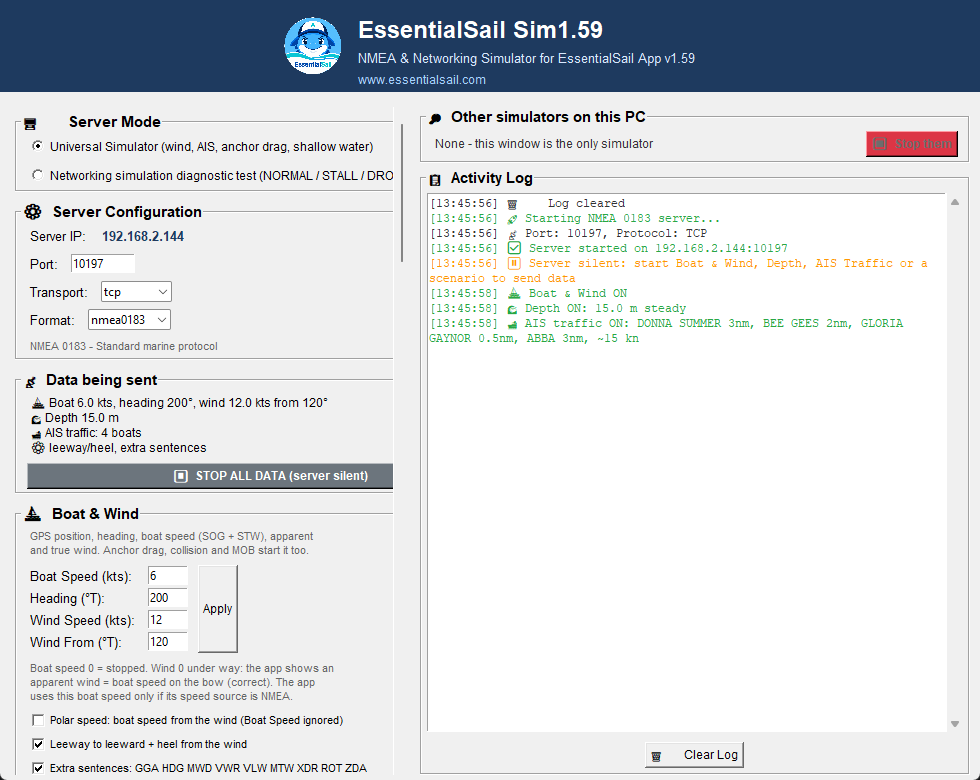
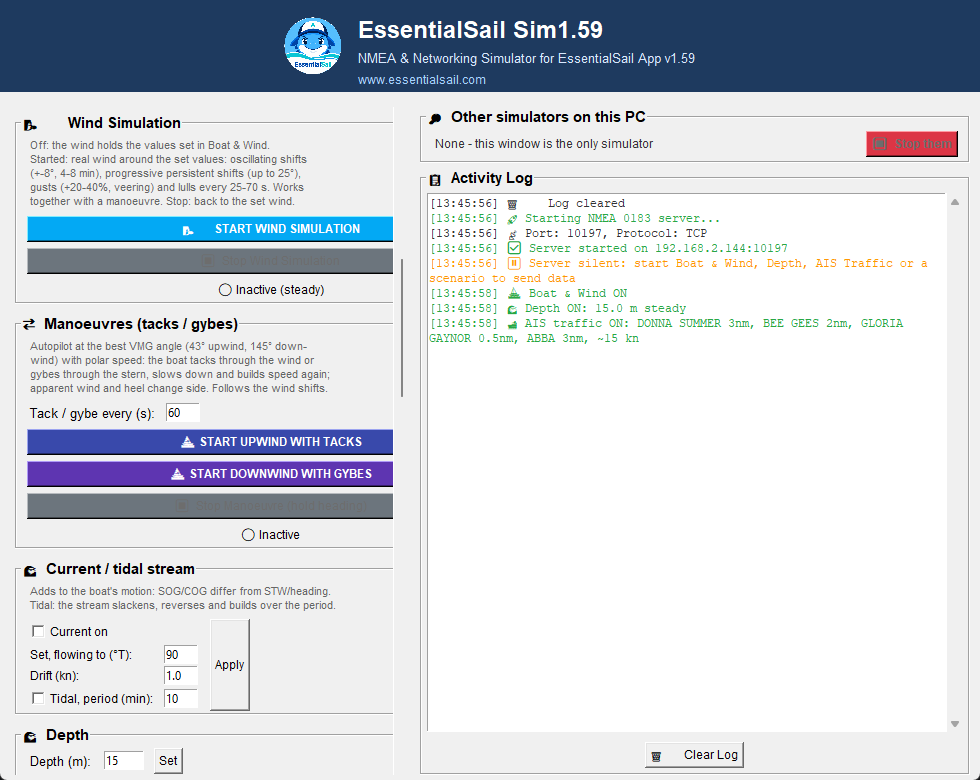
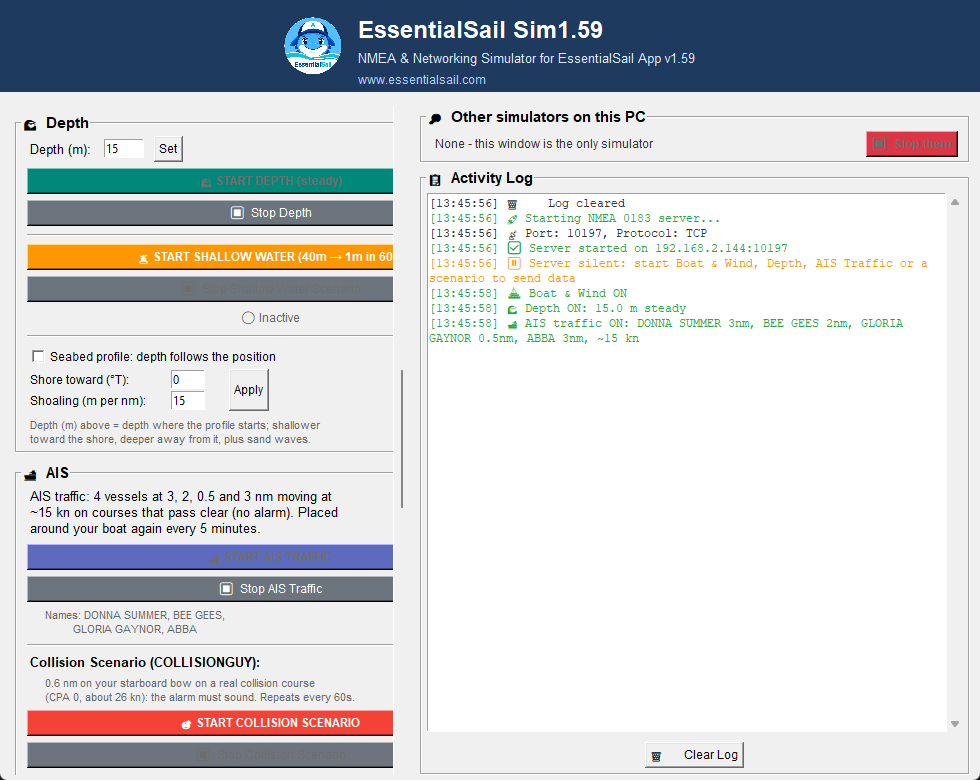
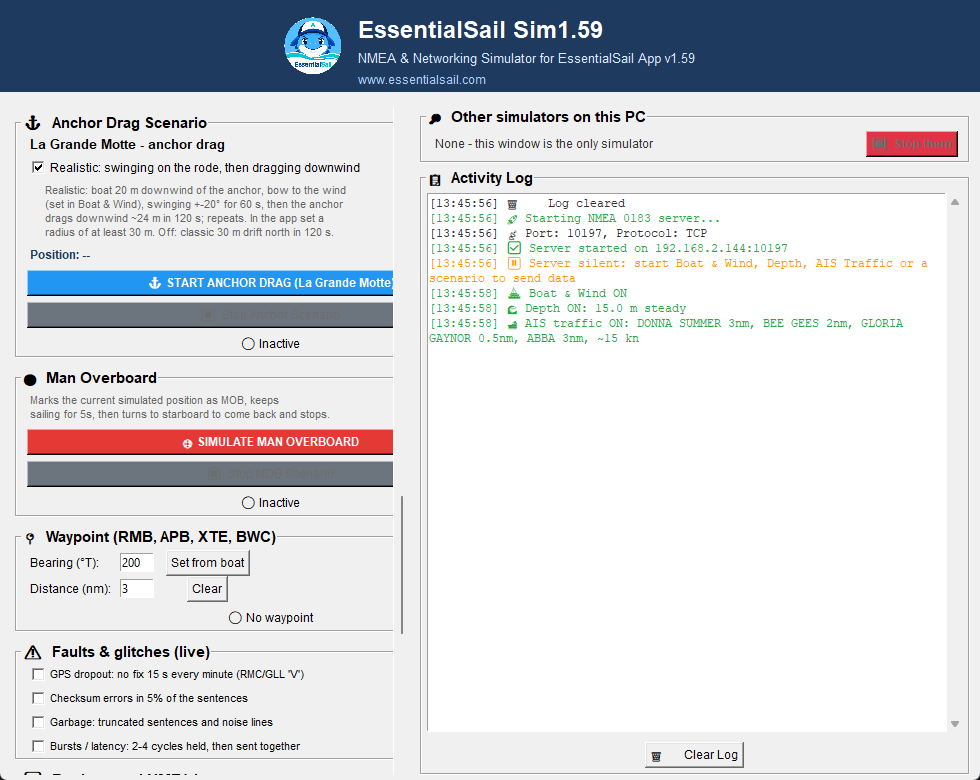
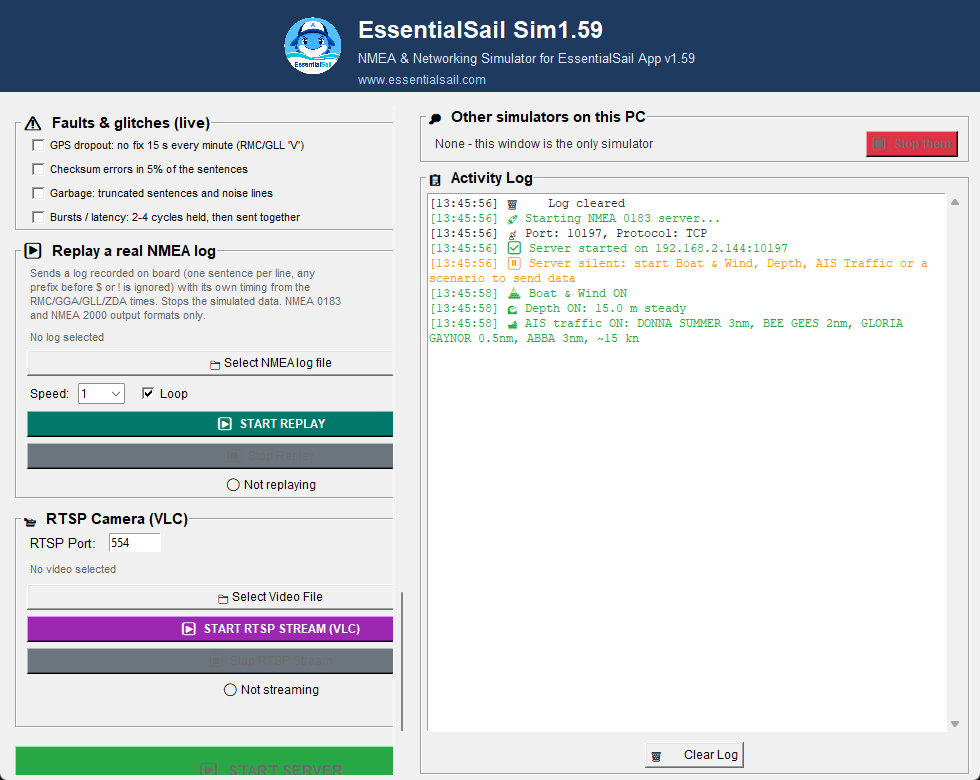
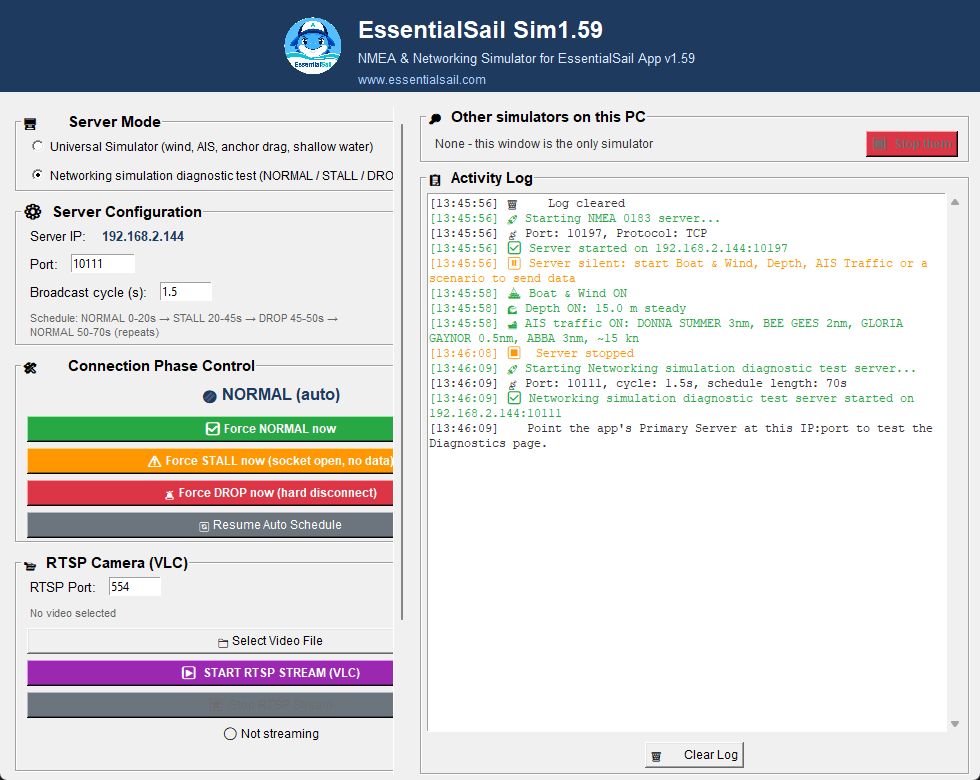
The right-hand Activity Log timestamps every action the simulator takes — connections, scenario start/stop and errors — and can be cleared with the button underneath it. The Other simulators on this PC box lists any other simulator running on the computer, with a Stop them button.
Installing
Requires Python 3.9 or later with Tkinter. No third-party Python packages — everything else is in the Python standard library.
Windows
- Install Python from python.org — keep “Add python.exe to PATH” checked. Tkinter is included.
- Open a terminal in the unzipped folder and run
python nmea_simulator_gui.py, or just double-click the file.
macOS
- Install Python 3 from python.org or with
brew install python-tk— both bundle Tkinter. - In Terminal, in the unzipped folder:
python3 nmea_simulator_gui.py
Linux
- Tkinter is a separate OS package:
sudo apt install python3 python3-tk(Fedora:python3-tkinter, Arch:tk). - Then run
python3 nmea_simulator_gui.pyin the unzipped folder.
If the window doesn't appear and the terminal shows ModuleNotFoundError: No module named 'tkinter', the missing OS package above is almost always the cause — it is not something pip install can fix.
Pointing the app at the simulator
- 1
Start the simulator on your computer — Universal Simulator mode, default port 10111, TCP, NMEA 0183 is the simplest starting point.
- 2
Make sure the phone or tablet running EssentialSail is on the same network as the computer. On an Android emulator, use the emulator's host alias (typically 10.0.2.2) instead of the IP shown in the window.
- 3
In the app: Settings → Connections, enter the computer's IP and the port shown in the simulator window, select TCP, tap Connect.
- 4
In the app, set Settings → Data Sources to NMEA: GPS Position NMEA Network, Heading NMEA (HDT/HDG), Speed Source NMEA GPS (SOG) or Boat Log (STW), True Wind Instrument. With the tablet's own GPS or compass the scenarios do not work correctly.
- 5
Start Boat & Wind, Depth, AIS Traffic or a scenario and watch the app.
Use the NMEA data sources, not the tablet's GPS
The simulator invents a whole boat. With Device GPS the app places you where the tablet really is, far from the simulated boat: AIS vessels end up off the radar and no collision is computed, anchor drag and man overboard do not move, and speed shows 0 (only the apparent wind follows the boat speed you set). Set the sources back for use on board.
Download the simulator
The complete package: the simulator app, test servers, the full user guide with screenshots and the changelog. Free, for Windows, macOS and Linux.
ZIP archive · 750 KB · Python 3.9+ required